MetriCup Guide
Coffee Shop Labor Cost: What the Number Should Be
 Rich Manalang
Most coffee shop owners know labor is their largest controllable cost. Very few know their actual number, or whether it reflects an efficient shift.
The metric that matters: SPLH
Set aside overall labor cost percentage for a moment. The most useful number in specialty coffee is Sales Per Labor Hour (SPLH), which measures how much revenue your team produces for every hour worked on shift.
The formula is straightforward:
SPLH = Net Sales ÷ Total Labor Hours Worked
Example: $4,200 in net sales on a day your team worked 40 total hours = $105.00 SPLH
For a beverage-focused cafe with counter service, a healthy target is $90 to $125 per hour. That number shifts depending on your format.
If you run a full kitchen with hot food prep, expect a lower SPLH. The extra labor required to plate food means more hours worked per dollar of revenue. Comparing a full-service cafe-kitchen to an espresso bar on the same target will mislead you.
Use SPLH to compare your own stores of similar format against each other, and track trends over time across days of the week.
What your SPLH number indicates
Below baseline: overstaffed for demand
Each labor hour generates less revenue than expected for your shop type. This usually means too many people on shift for actual customer traffic, such as slow afternoons with full morning crews. Compare your scheduling against hourly sales patterns by day of the week.
At baseline: dialed in
Your team produces strong throughput relative to hours worked. Focus on maintaining consistency across shifts and locations.
Far above baseline: watch service quality and burn-out
A very high SPLH looks profitable on paper, but it often masks an understaffed floor. When baristas work at emergency speed, wait times lengthen, mistakes multiply, and drinks suffer. Check your tip percentages alongside SPLH. Declining tip percentages during high SPLH shifts signal that service quality is slipping.
Why SPLH beats labor cost percentage
Labor cost percentage (total payroll spend divided by revenue) is useful for accountants, but it hides operational reality. Two cafes can post identical 30% labor cost metrics with completely different efficiency. One operates with experienced baristas earning higher hourly rates on lean shifts. Another uses lower hourly wages while burning unnecessary overtime on slow days.
SPLH isolates hourly output directly, which is what store managers can actually schedule and manage day to day.
Holidays and weather shift your numbers
The same holiday affects different locations in opposite ways. An office-district cafe might lose 80% of its volume on Presidents Day because offices are closed. A residential neighborhood cafe might gain 30% because residents stay local and walk over for morning coffee.
Scheduling both stores with standard Monday hours leaves one overstaffed and the other overwhelmed. A blanket schedule across multi-unit operations creates unnecessary wage waste.
Weather follows the same rule. A walk-up window might lose 20% of revenue during rain, while a drive-thru or spacious indoor cafe holds steady.
How to track SPLH
You need two inputs: net sales from Square (or your POS) and actual hours worked from your timesheet system (such as Square Team, 7shifts, or Homebase).
To do this manually, pull daily net sales from Square, pull total hours worked from your timesheet export, and divide. Track this daily for a month to establish your store's true baseline.
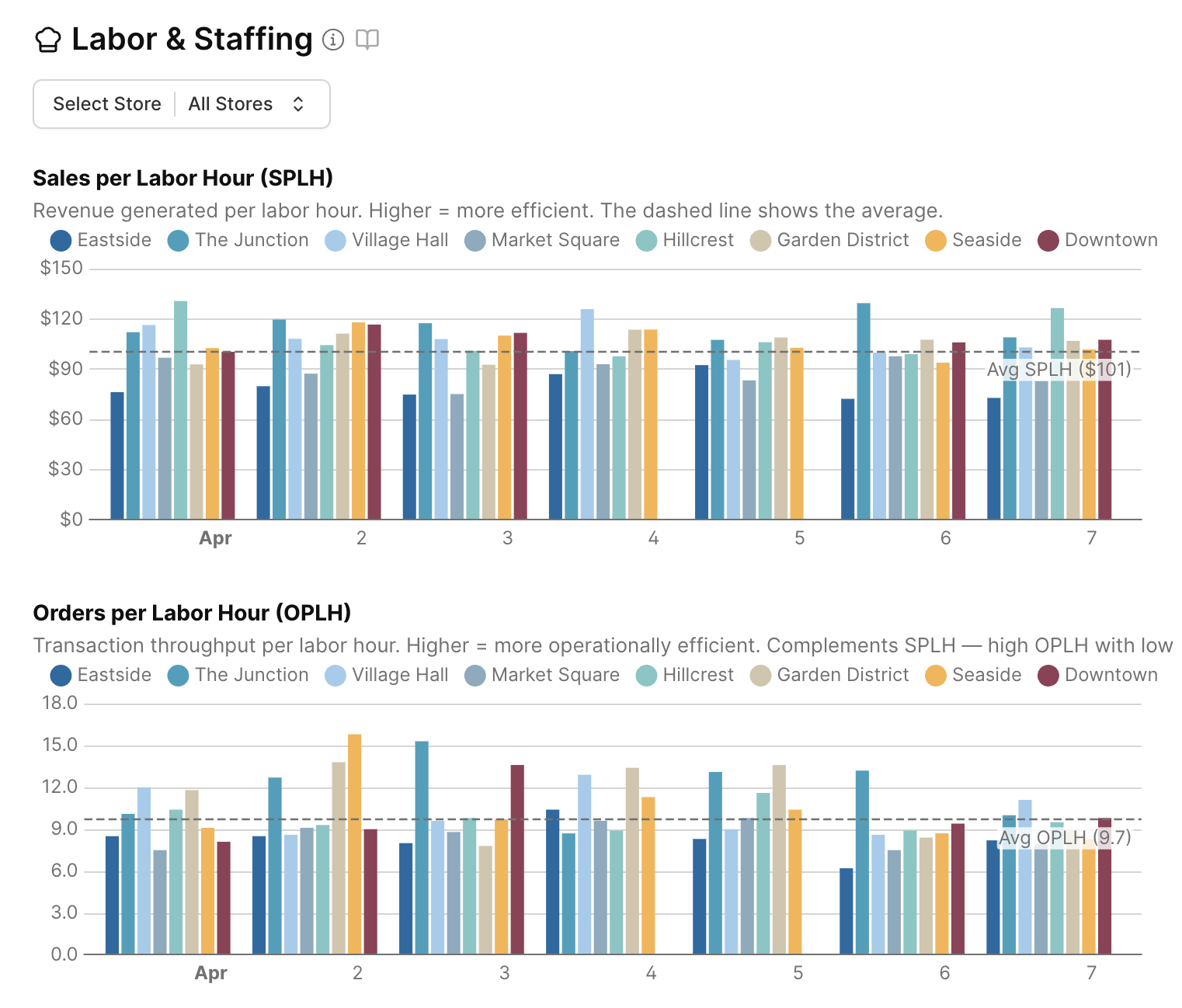
MetriCup automates this entire calculation across all your stores every night.
MetriCup
See your SPLH automatically
MetriCup connects Square POS and labor timecards to surface SPLH, OPLH, and staffing accuracy for every location, updated daily without spreadsheets.
Get early accessRelated Operator Guides
View All Guides →The Multi-Channel Margin Trap: When Delivery Apps Cannibalize Barista Tips
Delivery apps take a 25% commission rake and average 0.4% tips compared to 12.4% in-store.
Why Your Store Managers Never Look at BI Dashboards (and Why 6:00 AM Email Briefs Work)
Automated 6:00 AM email digests give opening shift leads actionable numbers before doors unlock.